Core Web Vitals Checklist for Faster Business Websites
A slow website usually does not fail all at once. A visitor taps the menu and waits. A quote form shifts under their thumb. A hero image takes too long to appear, so they leave before reading the offer. This Core Web Vitals checklist helps business owners find those problems before they drain leads from SEO, ads, and referral traffic.
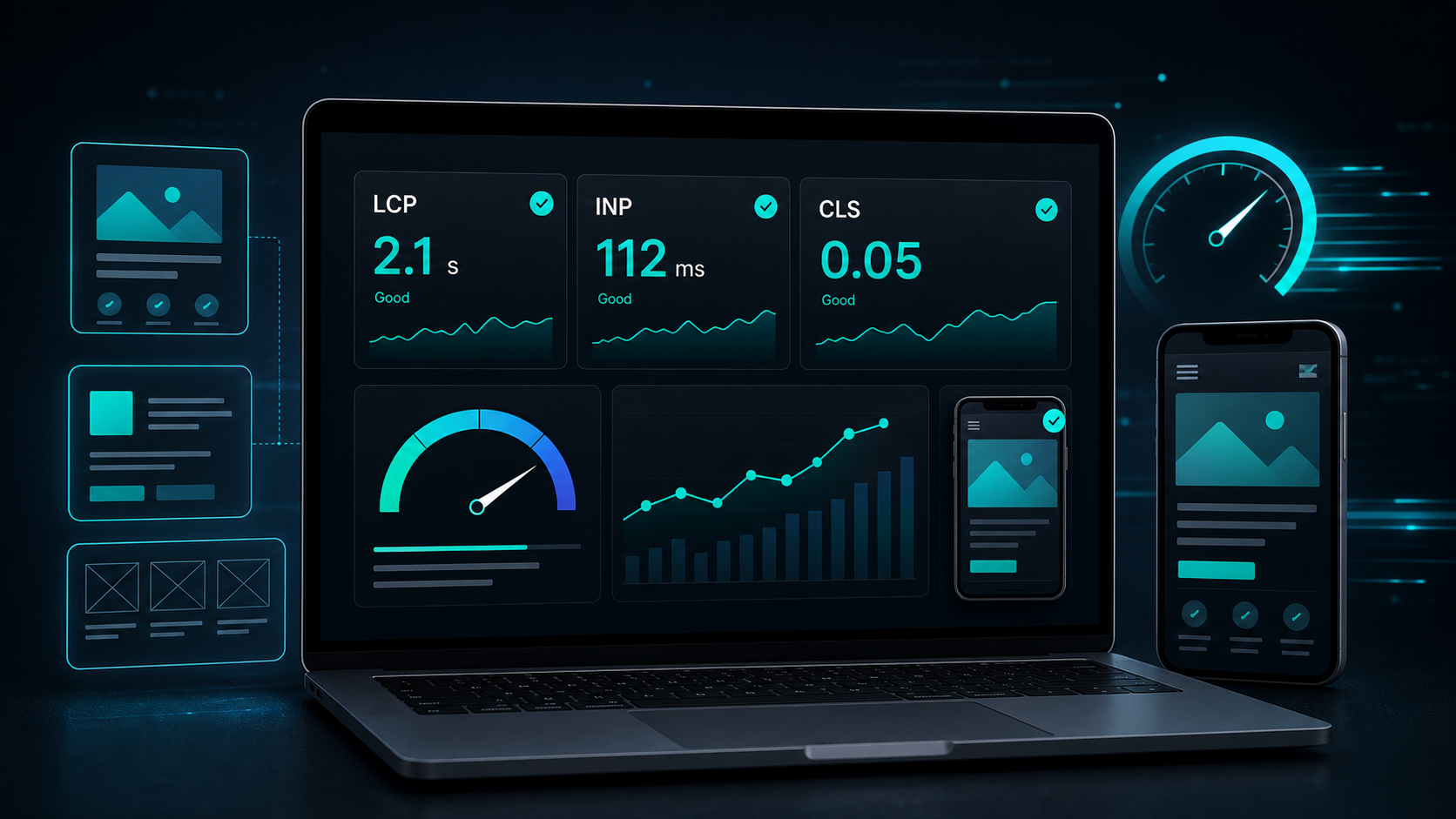
Google measures Core Web Vitals across three user experience signals: loading speed, interaction speed, and visual stability. The targets are clear: Largest Contentful Paint under 2.5 seconds, Interaction to Next Paint under 200 milliseconds, and Cumulative Layout Shift below 0.1. Those numbers are not vanity scores. They describe whether a real person can use the page without friction.
Core Web Vitals Checklist Starts With Real User Data
A Core Web Vitals checklist should start with field data, not a single lab test. Search Console uses real Chrome user data from the Chrome UX Report, then groups similar URLs by status, metric, and URL group. If one metric performs poorly, the whole group can be marked poor.
That grouping helps agencies and business owners spot template problems. If every service page has poor LCP, the issue is probably the shared hero section, image setup, font loading, or script bundle. Fixing one page by hand will not solve the pattern.
Start with these checks:
- Open the Core Web Vitals report in Google Search Console.
- Check mobile before desktop if most leads come from phones.
- Note which metric is failing: LCP, INP, or CLS.
- Open one sample URL from each poor group in PageSpeed Insights.
- Compare field data with lab diagnostics.
Field data tells you what users experienced. Lab data helps your developer reproduce the issue and test fixes. You need both.
Core Web Vitals Checklist for LCP Fixes
LCP measures how long the main content takes to appear. For most business websites, the LCP element is a hero image, large heading, banner, or featured product block. A slow LCP makes the page feel blank even when the browser is working in the background.
Use this part of the Core Web Vitals checklist on homepages, service pages, landing pages, and blog posts with large featured images.
Compress the heaviest visible asset
Large PNG and JPG files are still common on business websites. A 2 MB hero image can punish mobile users before they ever see a call to action. Replace oversized files with properly sized WebP or AVIF images, and serve dimensions close to the space the image occupies on screen.
Do not lazy-load the main hero image. The browser needs that asset early. Lazy loading is better for images below the first screen.
Give the browser fewer early jobs
The browser has a lot to do before the page feels ready: download HTML, CSS, fonts, JavaScript, images, and third-party scripts. Too many early tasks delay LCP.
Good fixes often look boring:
- Remove unused scripts from revenue pages.
- Load chat widgets and tracking scripts after the main content.
- Preload the main font or use a reliable system font.
- Keep above-the-fold CSS small.
- Avoid video backgrounds on pages built to convert.
Vital Web Solution handles these decisions during website development because speed problems are cheaper to prevent during the build than repair after launch.
Core Web Vitals Checklist for INP Fixes
INP measures how fast a page responds after someone clicks, taps, or types. Google’s web.dev documentation says INP looks across interactions during the visit, then reports a value that represents the slowest meaningful response after outliers are handled.
This is where many polished websites get exposed. A page can look beautiful and still feel broken if menus, filters, tabs, sliders, or forms respond late.
Test the parts people touch
Run through the page like a buyer. Open the mobile menu. Tap the service tabs. Submit the contact form with missing fields. Click the portfolio filters. If a tap takes half a second or more before the screen reacts, users notice.
Common INP issues include:
- Heavy JavaScript running during clicks.
- Large animations blocking the main thread.
- Third-party scripts loading at the wrong time.
- Long product filters or portfolio grids.
- Form validation that waits too long before showing feedback.
The target is under 200 milliseconds. Anything above 500 milliseconds is poor and needs direct attention.
Break up long JavaScript work
INP fixes usually come from reducing main-thread work. That may mean splitting JavaScript into smaller chunks, delaying non-critical scripts, simplifying animation timelines, or moving expensive calculations away from the first interaction.
For a business website, the best INP fix is often restraint. Use motion where it supports the page. Cut it where it slows the buyer down.
Core Web Vitals Checklist for CLS Fixes
CLS measures visual shifts. A page fails CLS when content moves after it appears, especially if the shift happens near buttons, forms, navigation, or text the visitor is reading.
For lead-generation websites, CLS is more than a visual annoyance. A shifting form field can cause mistaps. A late-loading banner can push the contact button away right when someone tries to click it.
Reserve space before assets load
Most CLS issues come from missing space. Images, videos, ads, embedded maps, review widgets, and font swaps can all shift the page if the layout does not reserve their final size.
Check for these fixes:
- Add width and height attributes to images.
- Use stable aspect ratios for cards and videos.
- Avoid inserting banners above existing content after load.
- Reserve space for review widgets and maps.
- Use font loading settings that reduce text jumps.
If your site uses a portfolio grid or blog card layout, set stable image ratios. The page will feel calmer, and the layout will be easier to scan on mobile.
What to Check Before You Call the Page Done
A Core Web Vitals checklist works best when it ends with a proof step. Do not stop after one PageSpeed Insights score turns green. Check the page type, the device type, and the real Search Console group that had the problem.
HTTP Archive’s 2025 Web Almanac reported that 48% of mobile sites and 56% of desktop sites had good Core Web Vitals. That means many sites still leave room for faster pages, better forms, and cleaner layouts. Passing the metrics can help a business compete when content quality and relevance are already close.
Search Console tells you which template is hurting
Search Console groups similar URLs, so use it to find patterns. If ten blog posts share poor CLS, fix the blog template. If every service page has slow LCP, check the shared hero image, font setup, and global scripts.
After your developer ships the fix, use Search Console’s validation flow. Field data updates over time, so live tests can confirm the technical fix before the report changes.
PageSpeed Insights tells you what to test next
PageSpeed Insights gives lab diagnostics for one URL at a time. Use it to compare before and after results, but do not treat one test as the whole truth. Server timing, connection speed, device class, and third-party scripts can change results between runs.
Pair PageSpeed Insights with a manual mobile check. A page that scores well but hides the phone number, delays the menu, or buries the quote button still has a business problem.
Turn Faster Pages Into Better Leads
Core Web Vitals work connects technical SEO with conversion design. Faster loading, quick taps, and stable layouts make every traffic source work harder, from Google Search to paid ads to referrals from social media.
For many businesses, the best first move is a focused audit of the pages closest to revenue. Start with the homepage, top service pages, contact page, and highest-traffic blog posts. Then fix the shared templates behind them.
Vital Web Solution builds websites with speed, SEO, and lead flow in the same plan. If your site feels slow on mobile or Search Console is showing Core Web Vitals warnings, our SEO services and web development team can find the source and fix the pages that affect revenue. Contact Vital Web Solution to book a website performance review.